
WhatsApp & SMS Alerts for Schools
Parents read WhatsApp, not letters in the bag. The software sends the right message to the right parent automatically — absences, fees, results, homework — and lets you message a class, a section or the whole school in one click.
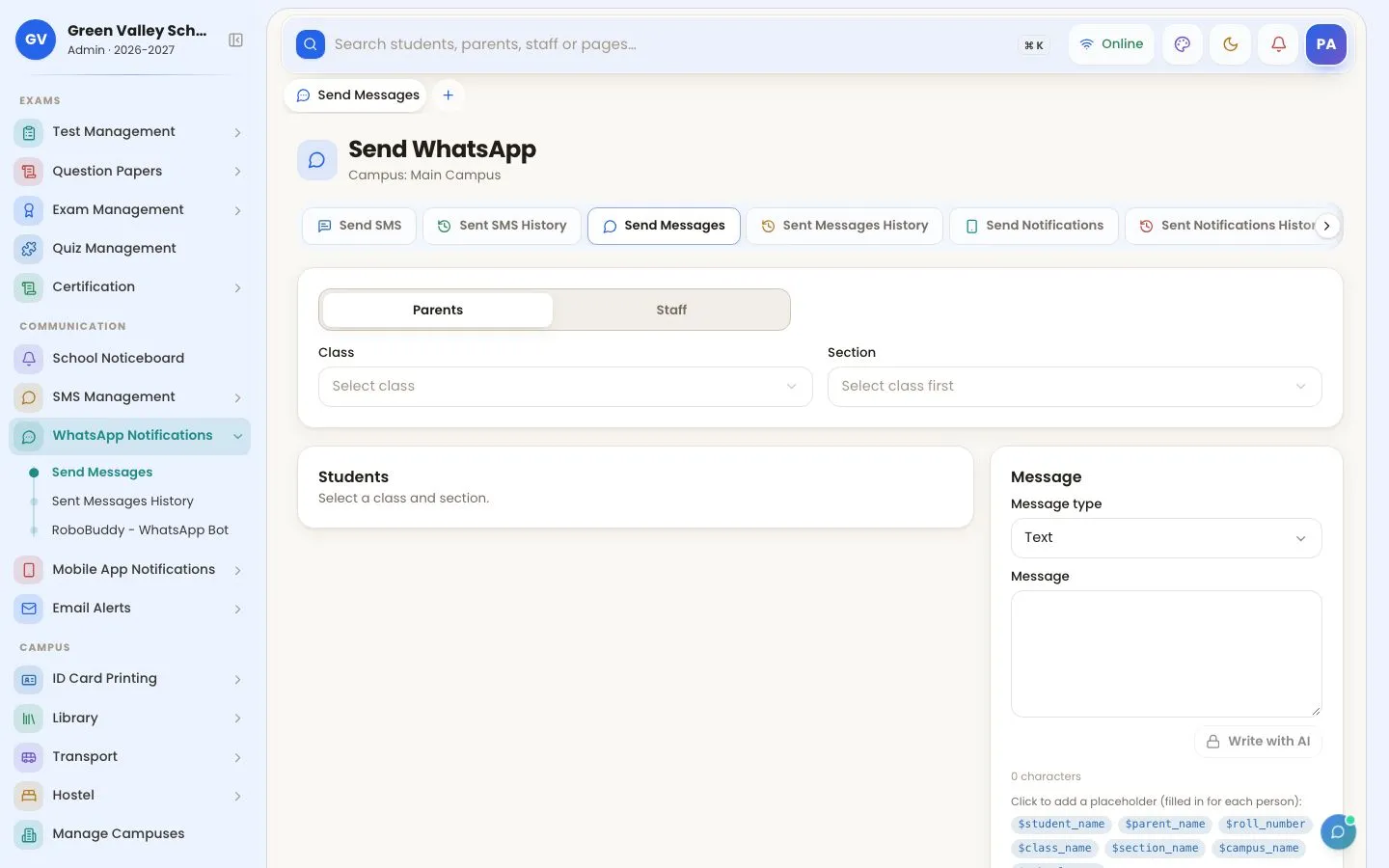
What you can do
- Connect your school's own WhatsApp number by scanning a QR code
- Text, pictures, PDFs and videos on WhatsApp; marksheets and vouchers sent as pictures
- Automatic alerts: absent, late, fee due, fee received, result declared, diary
- Bulk messages to classes, sections, staff or the whole school
- Message templates with names, amounts and dates filled in for each parent
- SMS, email and mobile app notifications as well
- RoboBuddy WhatsApp bot: parents ask for dues, attendance or results and get the answer
- Full history of every message with its delivery status
How to use it
Write or choose a message
Pick parents of a class, a section or staff, and type the message or use a template.
Set automatic alerts
Edit the wording of absent, fee, result and other automatic messages.

Parents receive it
From your own school number, with names and amounts filled in.

More screens

Frequently asked questions
Are messages sent from our own school number?
Yes. You connect your school's WhatsApp by scanning a QR code; parents receive messages from that number.
Can we send fee vouchers and result cards on WhatsApp?
Yes. Vouchers, receipts, marksheets, admit cards and timetables can be sent to parents as pictures.
Works together with
Fee Management
Generate monthly fees, print vouchers, take partial payments, collect online by JazzCash, Easypaisa and bank, and send fee reminders on WhatsApp.
Attendance Management
Student and staff attendance by biometric fingerprint, face, ID-card QR scan or the teacher app, with instant absent alerts to parents on WhatsApp.
Parent & Student Portal
Parents and students see attendance, diary, results, fees and notices, pay fees online, track the school bus and talk to the class teacher.
Related articles
Choosing School Management Software in Pakistan (2026)
A practical checklist for Pakistani schools: fees, WhatsApp, attendance, results, parent app, data safety, price and support — and how to test before you buy.
WhatsApp Fee Reminders for Schools: Recover Fees on Time
How schools in Pakistan use automatic WhatsApp fee reminders, vouchers and receipts to cut defaulters — with message examples you can copy.
Biometric Attendance System for Schools: A Complete Guide
Fingerprint, face, ID-card QR or teacher app — which attendance method suits your school, how it connects to software, and how parents get absent alerts.
Try OurSchoolSoftware free for 3 days
Create your free account in two minutes — no payment needed. Your school is ready to use straight away, with every feature of the package you choose.