
School Reports & Analytics
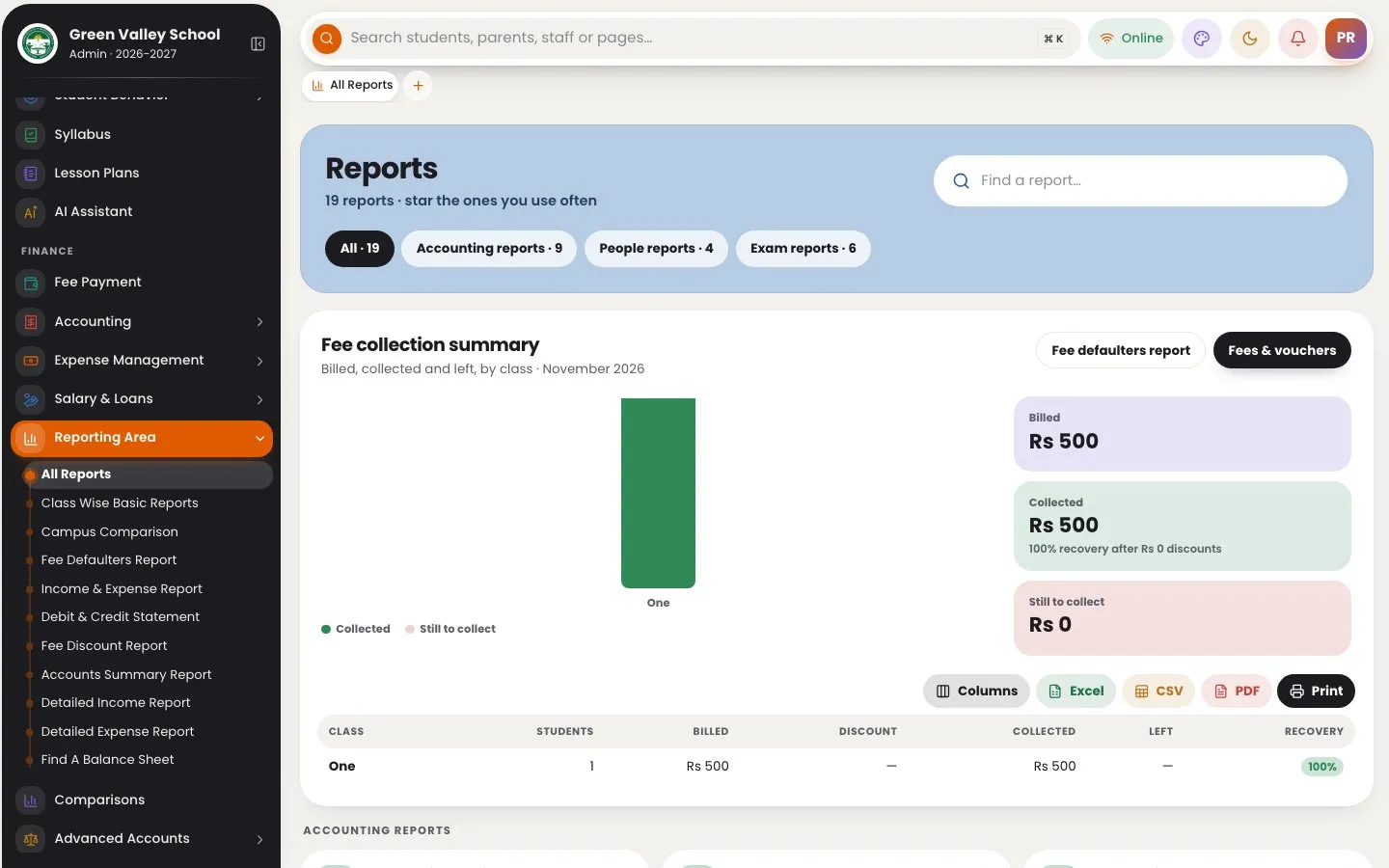
Owners and principals need the picture, not the paperwork. Every module has its reports, campuses can be compared side by side, and the owner can get an end-of-day summary and a weekly principal's summary without opening the software.

What you can do
- Class-wise reports, fee defaulters, income and expense, debit and credit, discounts
- Accounts summary, detailed income and expense, and balance sheets
- Campus comparison: admissions, students, attendance, fees collected, expenses, salaries and dues side by side, against the period before
- Exam analysis: subject averages, toppers and students who need help
- Owner's end-of-day summary by WhatsApp, SMS, email or app, at the time you choose
- Weekly principal's summary, with an optional AI note
- Every list exports to Excel, CSV and PDF, or prints
How to use it
Open a report
From the Reports menu or any module.
Filter
By campus, class, month or person.
Share
Print, export, or get the daily summary sent to you.
More screens


Frequently asked questions
Can the owner get a daily summary?
Yes. Choose who gets it, how and at what time; it is sent at the end of each day.
Can we compare our campuses?
Yes. Campus comparison shows admissions, attendance, fees, expenses and dues of every campus side by side, each against the period before.
Works together with
Multi-Campus
Run every branch from one account: each campus with its own students, fees and staff, campus switching for the owner and campus comparison reports.
Accounts & Reports
Income and expense accounts, bank and cash, balance sheet, campus comparison and owner daily summary — every rupee of the school in one place.
Exams & Results
Marks entry by subject teachers, automatic grades and positions, tabulation sheets, printable marksheets, admit cards, date sheets and result alerts.
Try OurSchoolSoftware — first month free
Create your free account in two minutes — no payment needed. Your school is ready to use straight away, with every feature of the package you choose.