
Fee Defaulter Software
Unpaid fees are the biggest headache of most schools. See every defaulter at once, remind them in one click, and when a parent says "I will pay on the 10th", write it down as a payment promise — the software reminds them before the date and on the date.

What you can do
- Fee defaulters by class and family, with the amount and months due
- One-click SMS / WhatsApp reminders to all defaulters or the ones you pick
- Payment promises: amount, for which child or the whole family, and the promise date
- Automatic WhatsApp and app reminders 3 days before the promise date and on the date
- Dues Clear Commitments page: open, due soon, date passed and cleared, with totals
- Fee installments and advance fee for families who pay in parts
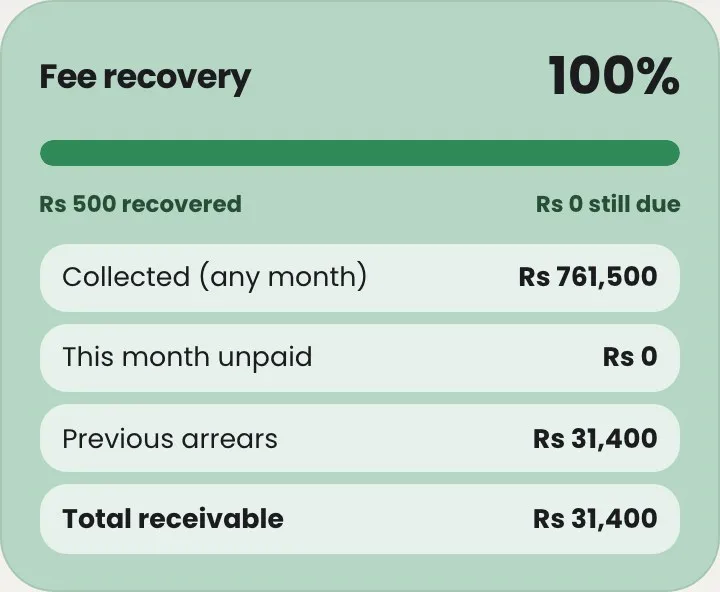
- Unpaid fees by age and fee recovery on the dashboard
How to use it
See who owes
The defaulters list shows every family's dues.
Remind or record a promise
Send a reminder, or note when the parent says they will pay.
Follow up automatically
Reminders go before and on the promised date; mark it cleared when paid.
More screens


Frequently asked questions
What is a payment promise?
When a parent says when they will clear their dues, the office records the date and amount. The parent is reminded by WhatsApp and the app 3 days before and on that date.
Can we remind all defaulters at once?
Yes. Pick the class or the whole campus and send the reminder by SMS or WhatsApp in one click.
Works together with
Fee Management
Generate monthly fees, print vouchers, take partial payments, collect online by JazzCash, Easypaisa and bank, and send fee reminders on WhatsApp.
WhatsApp & SMS Alerts
Send fee reminders, absent alerts, results, diaries and notices to parents on WhatsApp, SMS, email and app notifications — automatically or in bulk.
Parent & Student Portal
Parents and students see attendance, diary, results, fees and notices, pay fees online, track the school bus and talk to the class teacher.
Try OurSchoolSoftware — first month free
Create your free account in two minutes — no payment needed. Your school is ready to use straight away, with every feature of the package you choose.